QR table ordering
Guests scan the QR on their table and order from their own phone — no app install, no login, no waiting for a server.
Explore QR table ordering
One app for QR ordering, the kitchen, your tables, GST billing and sales analytics. Guests scan the code on their table and order from their own phone — your kitchen sees it in under a second.
Starter is free · nothing for guests to install
Get the staff app

Same floor, same team, same rush hour. The only difference is that orders, tables and the kitchen queue stay in sync.
Ten minutes just to be noticed
Guests order the second they sit
Orders shouted across a loud pass
On the kitchen screen in under a second
Paper tickets slide behind the counter
Every order has a live status
Walk the floor to find a free table
The floor map colours itself
Bills and tax added up by hand
Itemised bill with GST, one tap
You learn what sold at midnight
Revenue and top sellers, live
QR ordering, a live kitchen board, table management, GST billing and sales analytics — from the moment a guest sits down to the moment the table is free again.
Guests scan the QR on their table and order from their own phone — no app install, no login, no waiting for a server.
Explore QR table ordering
Orders land on the kitchen screen the instant they are placed. No paper tickets, no lost orders, no shouting across the pass.
Explore Real-time kitchen board
A colour-coded floor map that keeps itself up to date — available, reserved, occupied or cleaning.
Explore Live table management
No hardware to buy, no installer to book, no technical skills required.
Sign up as the owner, add your restaurant name, tax and currency, then create accounts for your managers, waiters, kitchen staff and cashiers. Each role opens straight onto the screen it needs.
Build categories and dishes with photos, prices and prep times. Add your tables, then download the QR sheet and put a code on every table.
Guests scan and order. The kitchen sees the ticket immediately, marks it ready, the waiter serves it, the cashier collects — and your dashboard updates as it happens.
Every plan includes the dine-in core. Higher tiers unlock QR ordering, analytics and inventory.
Restaurant software shaped around dine-in service — not a point-of-sale bolted onto a tablet.
Guests order the moment they are ready instead of waiting to catch a server's eye. Tickets reach the kitchen in under a second.
No paper tickets to misplace and no orders shouted across a noisy pass. Every order has a status, and every status is visible to the people who need it.
Know today's revenue, what is selling, and when you are busiest — without exporting anything or waiting for month end.
Every screen below is a live screenshot from DinePilot — no mockups, no marketing renders.
Owner dashboard
Live table grid
Kitchen board
Menu management

Orders

Order detail

Menu filters

Receipt

Add a table

Staff sign in
Scroll to see more →
Everything your staff does happens in the app. On top of that, owners and managers get a full web admin panel — open it in any browser to see live sales, manage the menu and control every table from a bigger screen. Nothing to install.
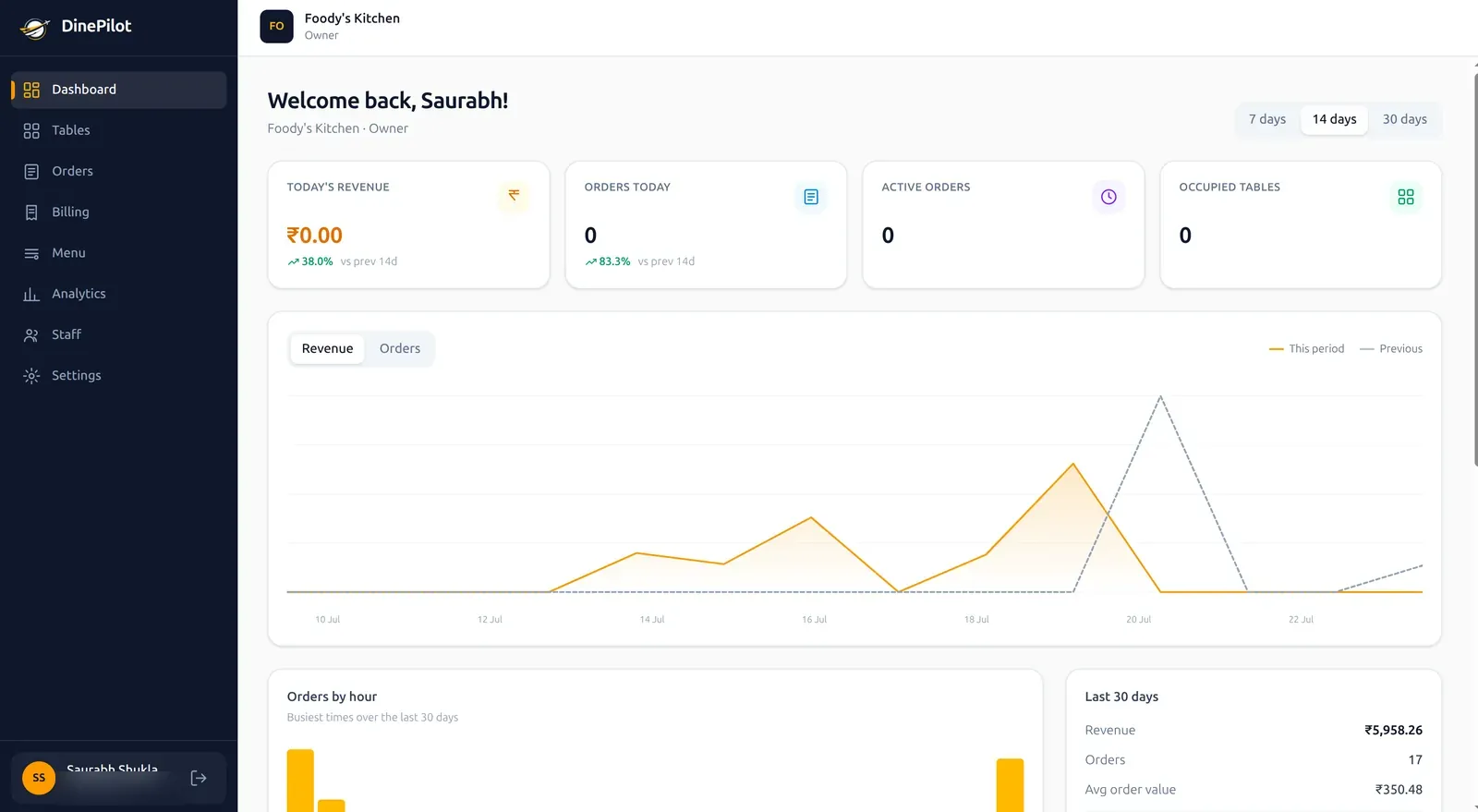
Owner dashboard — today's revenue, live orders and a 14-day sales trend at a glance.
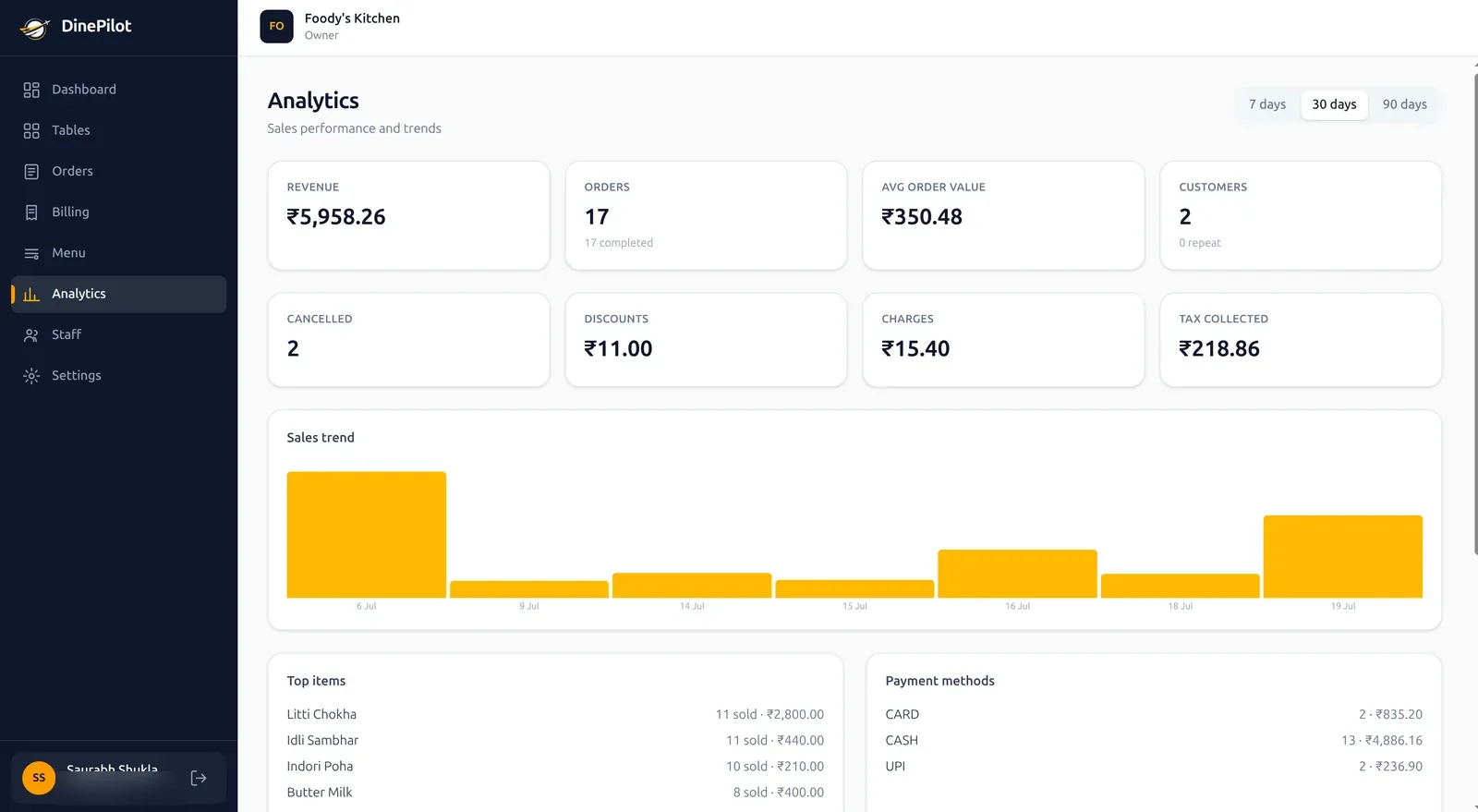
Sales analytics & reports
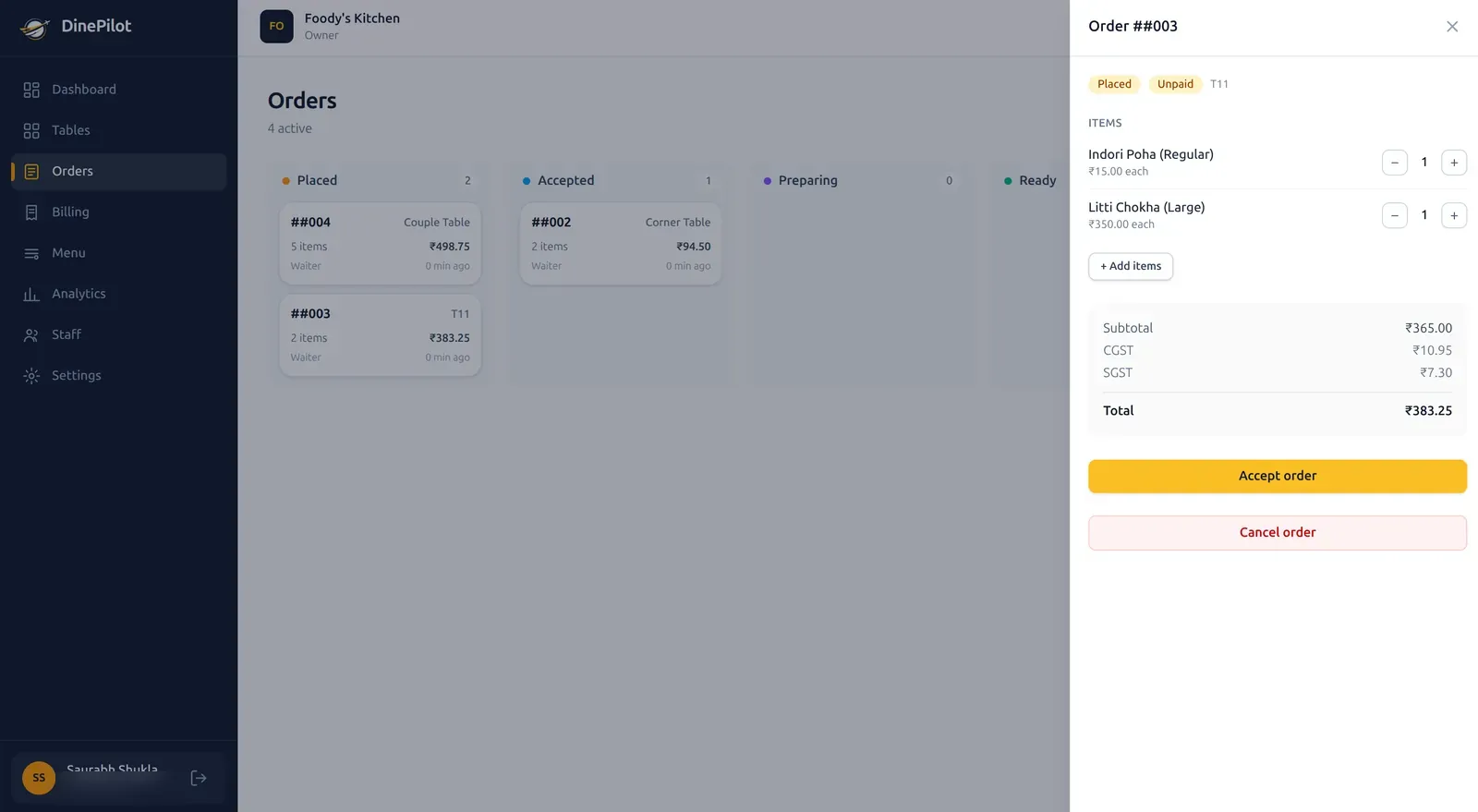
Live order management board
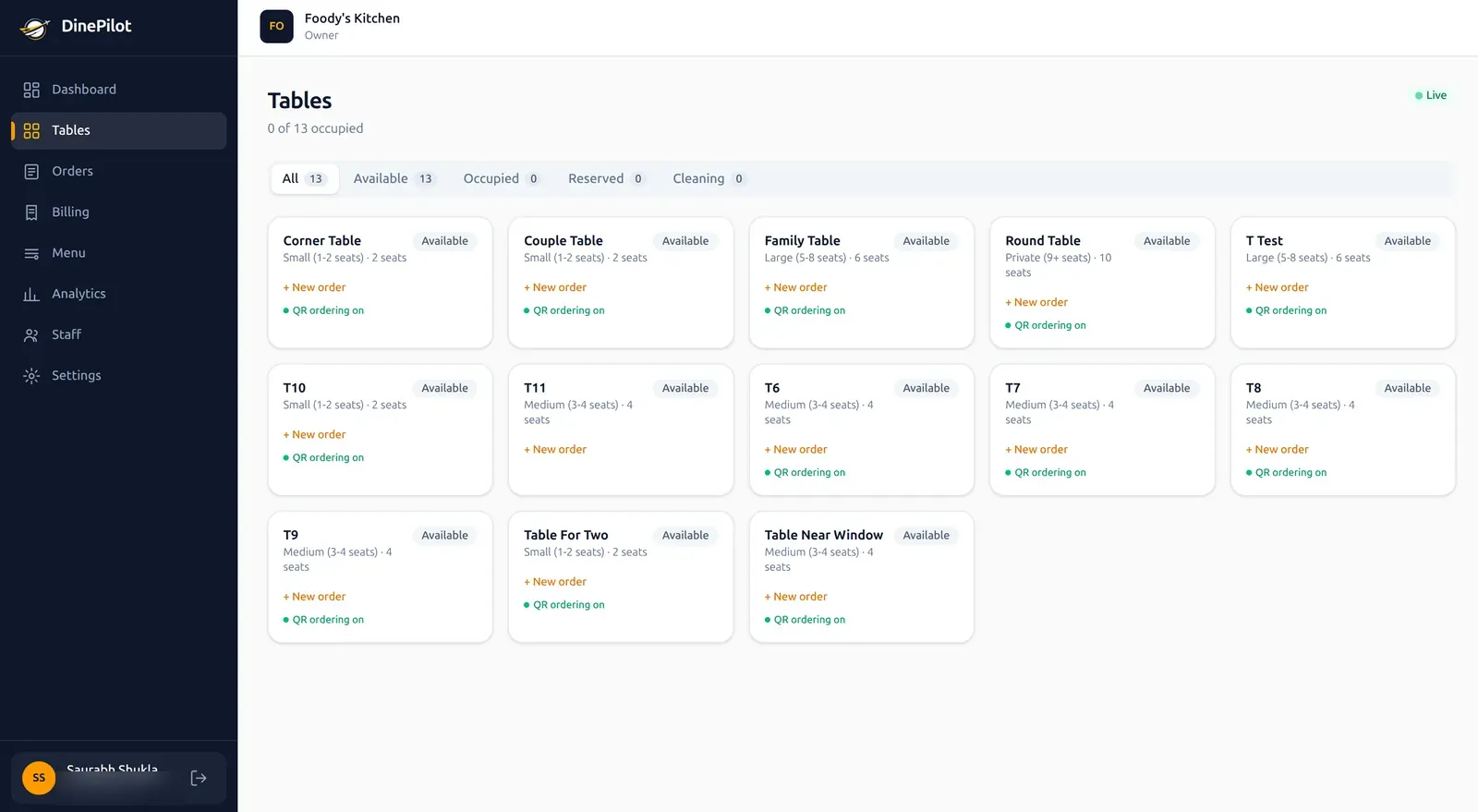
Table management & live status
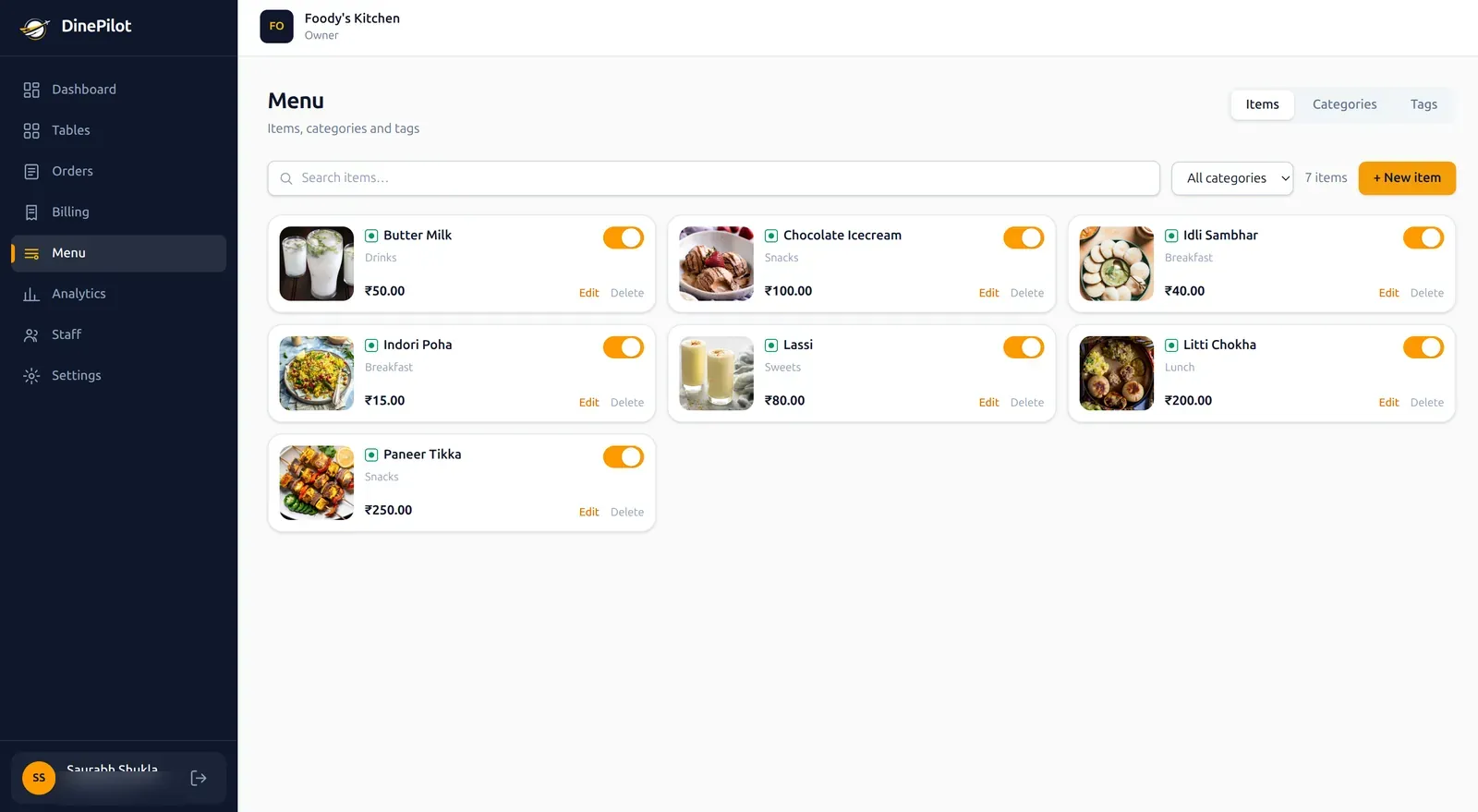
Menu, prices & availability
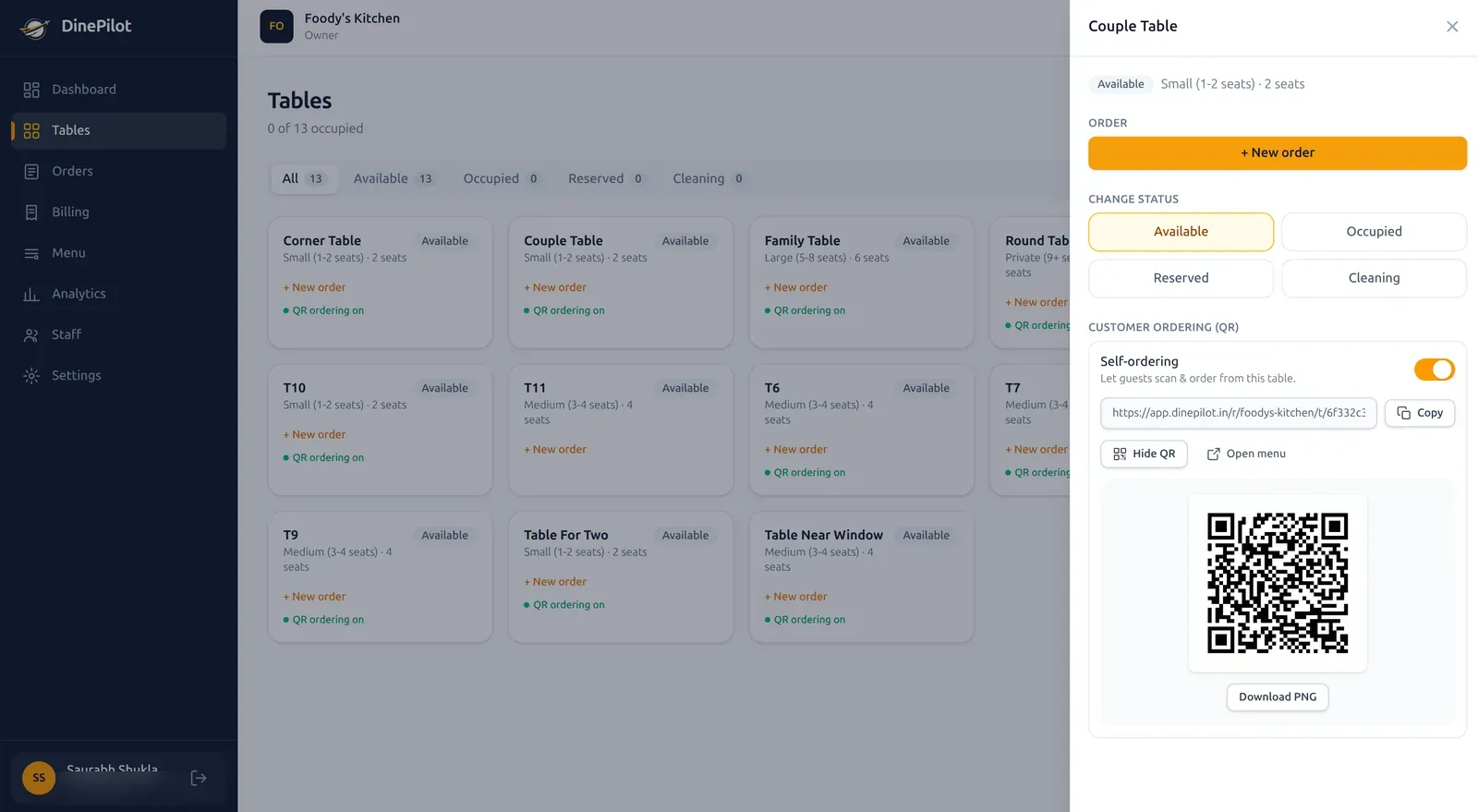
Per-table QR self-ordering
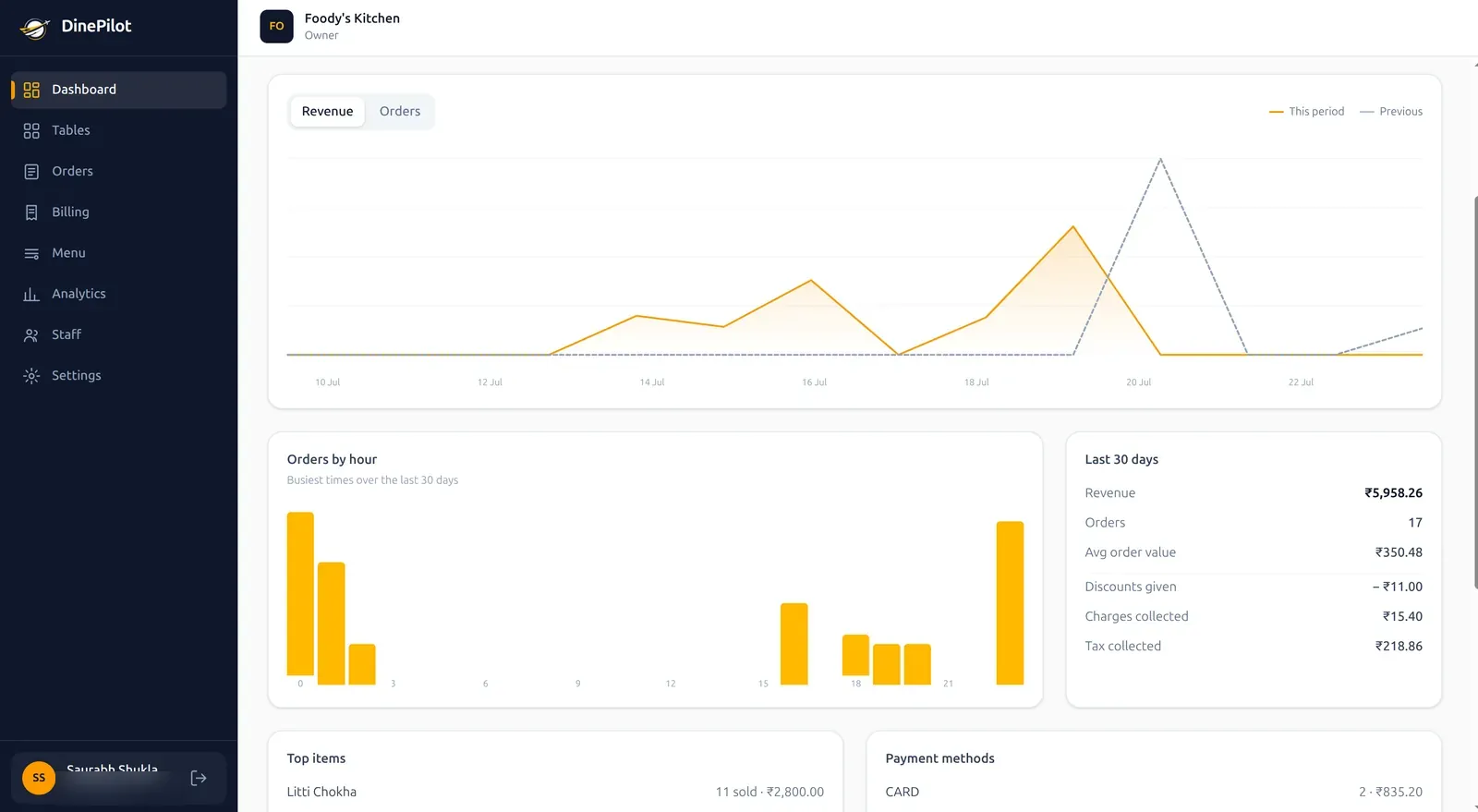
Busiest hours & 30-day summary
Works in any browser — the app stays the fastest way to run each service.
Sign in, land on the screen built for you. Nothing else in the way.
Everything a manager can do, plus creating staff accounts and controlling restaurant settings, tax and branding.
Full operations — menu, tables, orders and analytics — without user management.
A live table grid, order taking on behalf of guests, and a ping the moment an order is ready to serve.
A single live ticket board. Accept, prepare, mark ready — nothing else in the way.
Unpaid orders by table, itemised bills, and payment by cash, card or UPI.
No account, no app. Scan the table QR, browse, order and track it live.
Restaurant software for cafés, family restaurants, fine dining, bars and quick service with seating. Built for dine-in — find your room.
High turnover. Every slow minute costs you.
Big groups ordering all evening.
Invisible machinery. Perfect pass.
Loud, dark, busy. Orders get lost.
Counter-first, but the seats still matter.
Long menus. Finding the dish is half the battle.
Six promises, in plain language.
Your data is scoped to your restaurant and checked on every request. Nobody else can see it.
A waiter cannot open your analytics. The kitchen cannot touch your prices.
Orders snapshot their price. Editing the menu never rewrites yesterday's bills.
We record how a guest paid. We are not a payment provider and take no cut.
Orders land completely or not at all. The app keeps working if the connection drops.
We never sell your data or advertise to your guests. Leave and we delete it.
How we handle your data, in full: read the privacy policy.
Pick the plan that fits your floor. Annual billing saves two months on paid tiers.
Trying DinePilot / small dine-in
Free forever at this tier
Outlets that want customer QR ordering
or ₹7,990/yr · 2 months free
Growing restaurants that need insights
or ₹14,990/yr · 2 months free
Large or multi-brand operations
or ₹39,990/yr · 2 months free
Better you know the gaps now than mid-service.
Not built yet, and we are not giving dates we cannot honour. Restaurants using DinePilot today help decide what we build first.
Carry one dine-in order from the table to the kitchen, back to the floor, and onto the bill — without dropping it between hands.
The old chain
In most restaurants that journey is still stitched together by hand — a captain’s pad, a KOT torn off at the pass, a whiteboard for the floor plan, a billing machine at the counter, and a notebook where the day’s takings get added up after close.
A ticket slides behind the counter and a table waits twenty minutes for food nobody is cooking. A table that settled ten minutes ago still looks occupied, so a walk-in is turned away. A price edited on the menu quietly changes what last week’s bills were worth. None of these are dramatic failures. They are small, constant leaks that surface as slower table turnover, thinner margins and a rush hour that feels worse than it needs to.
How DinePilot closes the handovers
QR table ordering lets a guest scan the code on their table and order from their own phone, with nothing to install and no login. That order reaches the kitchen display board in under a second as a digital KOT, sequenced oldest ticket first, with the table number and every guest note attached. The live floor map marks that table occupied on its own, and releases it back to available when the bill is settled.
Because the order is already in the system, billing is a continuation of it rather than a re-entry: an itemised bill with the CGST and SGST broken out, paid by cash, card or UPI, with a receipt ready to share or print. Every closed order then feeds sales analytics — revenue, average order value, top sellers by both quantity and revenue, and the hours your rush actually lands in — while the shift is still running, not the next morning.
What it does not do
DinePilot is built for dine-in service. If one of these is a hard requirement today, we would rather say so now than have you find out during a service.
Where to go next
Still working out what to look for? The Restaurant Growth Academy covers operations, analytics and technology in depth.
Ask us anything else — we reply to every message.
It is the system that carries a dine-in order from the guest's table to the kitchen, back to the floor and through to the bill, keeping one record the whole way. In DinePilot that means QR ordering at the table, a live kitchen board that replaces the paper KOT, a floor map that tracks table status, GST billing and sales analytics — one app rather than a pad, a printer, a whiteboard and a separate billing machine.
No. Guests scan the QR code on their table and the menu opens in their phone's browser. There is nothing to download and no account to create. Only your staff use the DinePilot app.
Starter is free (up to 10 tables). Essential is ₹799/mo, Pro is ₹1,499/mo, and Unlimited is ₹3,999/mo. Paid annual plans include two months free. See the pricing page for limits and what each tier includes.
Yes. QR ordering is optional per guest. Waiters can create an order for any table from the app, and both kinds of order flow to the kitchen identically. You can filter orders by whether they came from a QR scan or a waiter.
The staff app keeps working and falls back to refreshing on demand when the live connection is unavailable, then catches up once it reconnects. Order placement is transactional, so an order is either fully recorded or not recorded at all — it never half-lands.
Not yet. Today your cashier records how the guest paid — cash, card or UPI — along with an optional reference, and DinePilot handles the bill, the tax breakdown and the receipt. Letting guests pay from their own phone is on our roadmap.
No call centre, no script — just the people building it.
Set up your restaurant, print your QR codes and take your first order today. Starter is free.
No card required · Nothing to install for your guests