Follow one order, end to end
A guest sits down. Ninety seconds later the kitchen is cooking. Here is every step in between — the QR scan, the digital KOT, the pass, the service and the bill — and who owns each one.
In most restaurants an order changes hands four or five times between the guest deciding and the bill being settled, and each handover is a fresh copy: spoken to a captain, written on a pad, torn off as a KOT, shouted across the pass, and finally re-keyed into a billing machine. Every copy is a chance to lose something.
In DinePilot there is one record. It is created when the order is placed, it moves through six states, and everyone on shift reads the same copy of it at the same moment. Nothing below is a separate system talking to another system — it is one order, seen from five different jobs.

Up and running in
three steps
No hardware to buy, no installer to book, no technical skills required.
-
1
Set up your restaurant in minutes
Sign up as the owner, add your restaurant name, tax and currency, then create accounts for your managers, waiters, kitchen staff and cashiers. Each role opens straight onto the screen it needs.
-
2
Add your menu and print your QR codes
Build categories and dishes with photos, prices and prep times. Add your tables, then download the QR sheet and put a code on every table.
-
3
Take orders and watch them flow
Guests scan and order. The kitchen sees the ticket immediately, marks it ready, the waiter serves it, the cashier collects — and your dashboard updates as it happens.
Six states, and never a lost ticket
Every order moves through the same path, and everyone on shift sees the same status at the same moment.
-
1
Placed
Guest scans the QR, or a waiter takes the order
-
2
Accepted
Kitchen picks up the ticket
-
3
Preparing
Kitchen cooks, marking items ready as they go
-
4
Ready
Last item done — the waiter is notified
-
5
Served
Waiter delivers it to the table
-
6
Completed
Cashier records payment, the table releases itself
An order can also be cancelled with a reason while it is still placed or accepted — the table releases itself if nothing else is open on it.
Everyone sees only their job
Sign in, land on the screen built for you. Nothing else in the way.
Owner
Everything a manager can do, plus creating staff accounts and controlling restaurant settings, tax and branding.
Manager
Full operations — menu, tables, orders and analytics — without user management.
Waiter
A live table grid, order taking on behalf of guests, and a ping the moment an order is ready to serve.
Kitchen
A single live ticket board. Accept, prepare, mark ready — nothing else in the way.
Cashier
Unpaid orders by table, itemised bills, and payment by cash, card or UPI.
Guest
No account, no app. Scan the table QR, browse, order and track it live.
This is the real thing
Every screen below is a live screenshot from DinePilot — no mockups, no marketing renders.
-
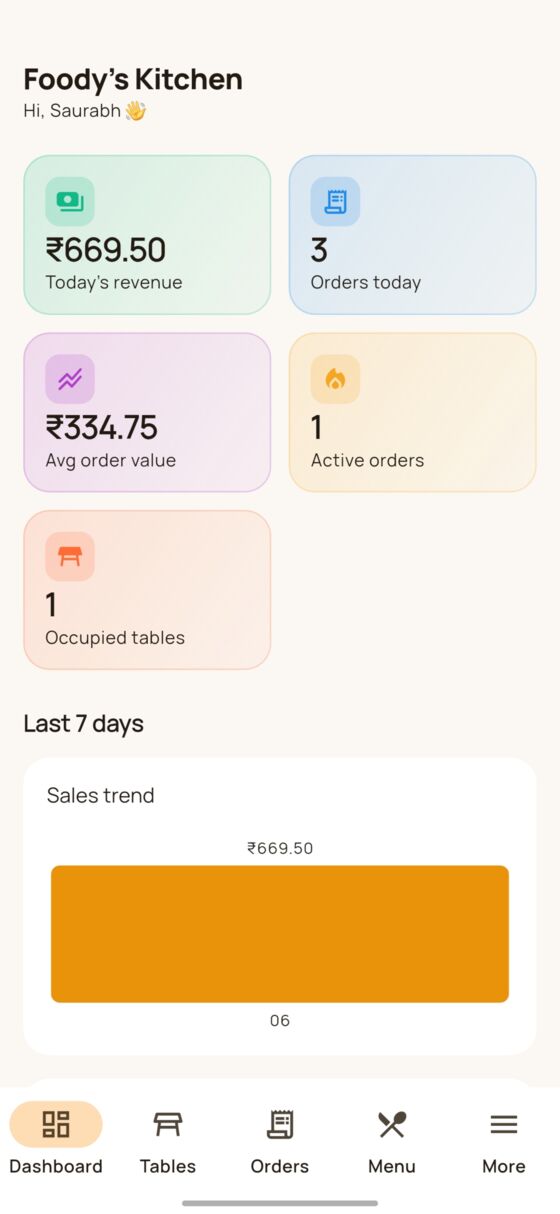
Owner dashboard
-
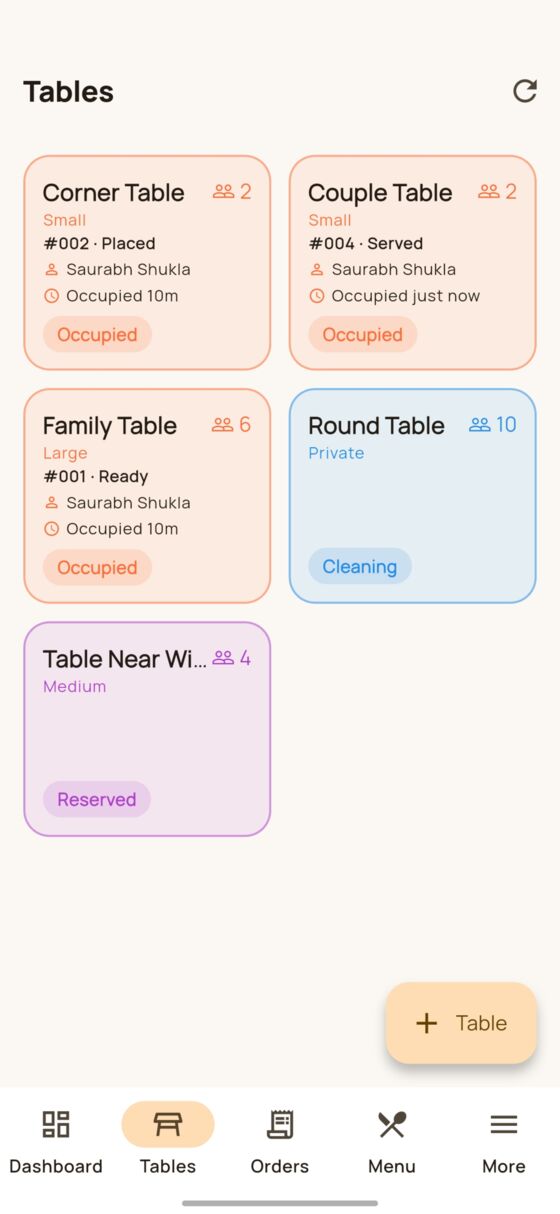
Live table grid
-
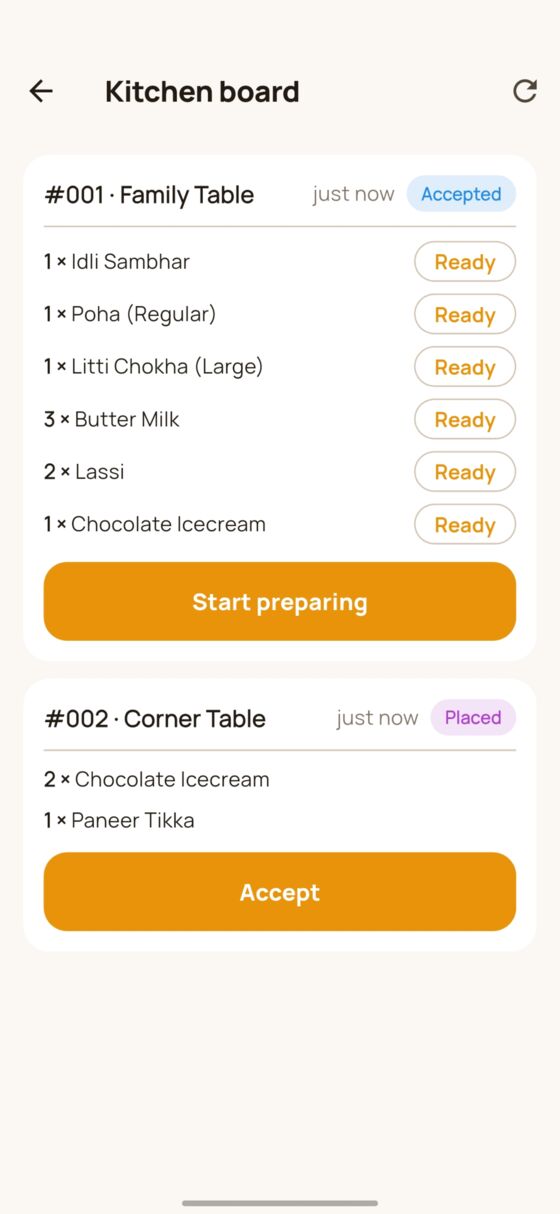
Kitchen board
-
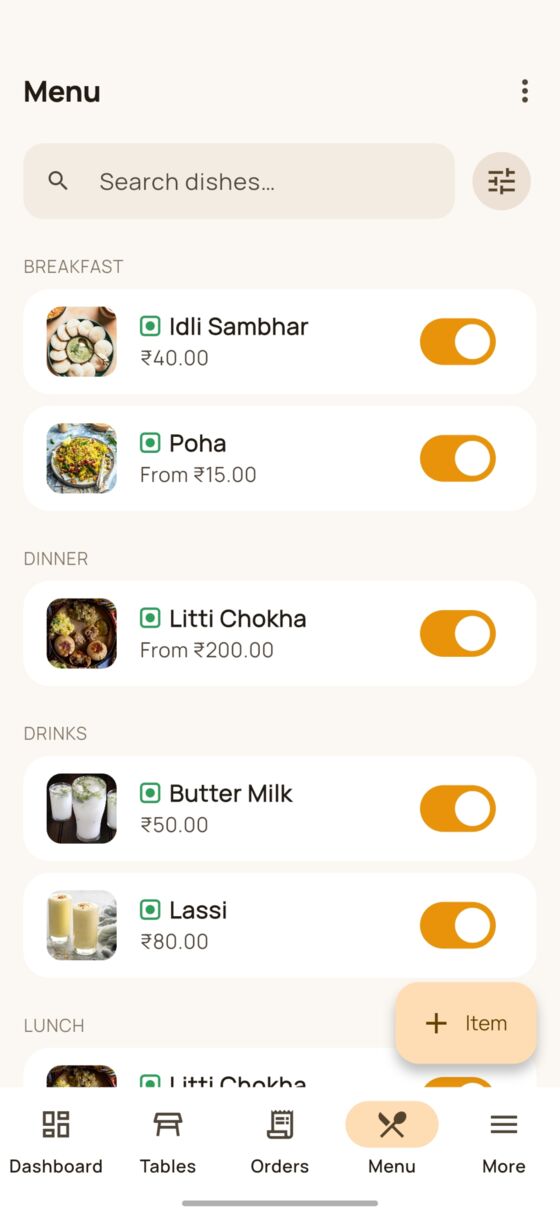
Menu management
-
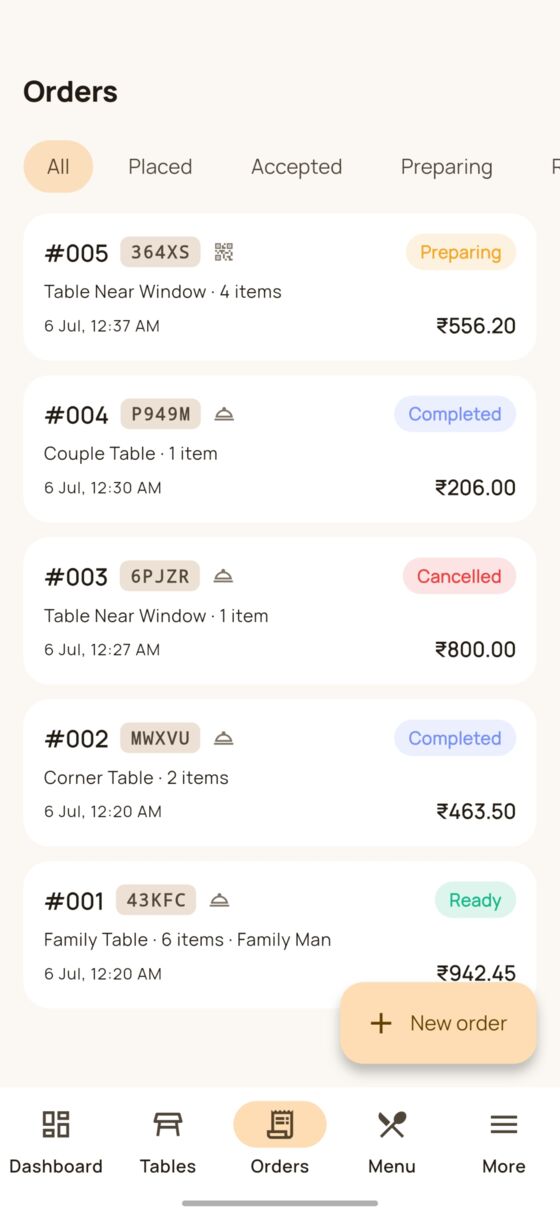
Orders
-
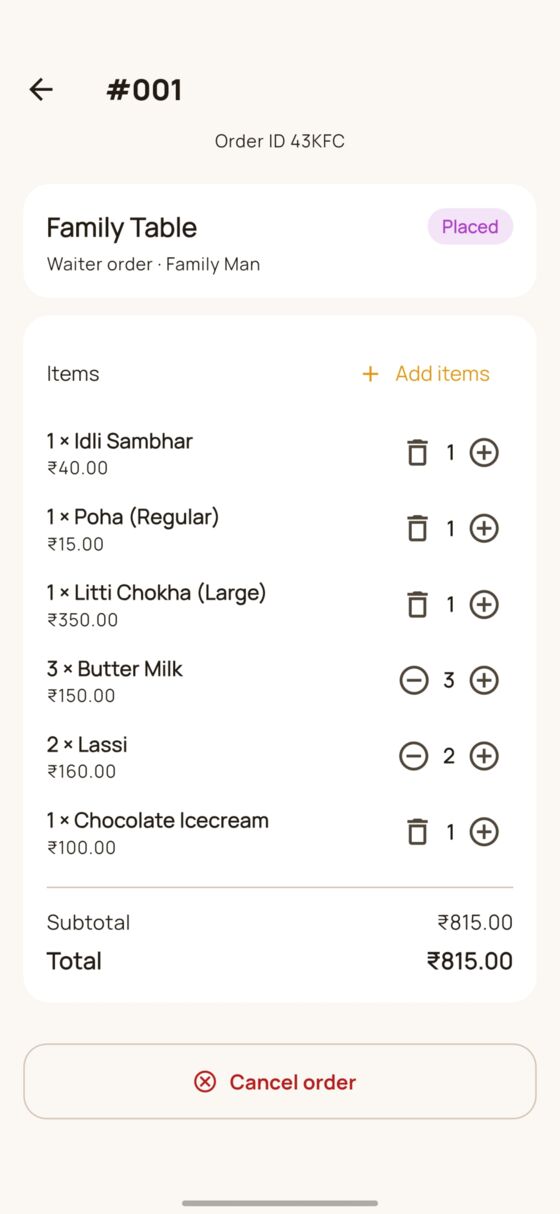
Order detail
-
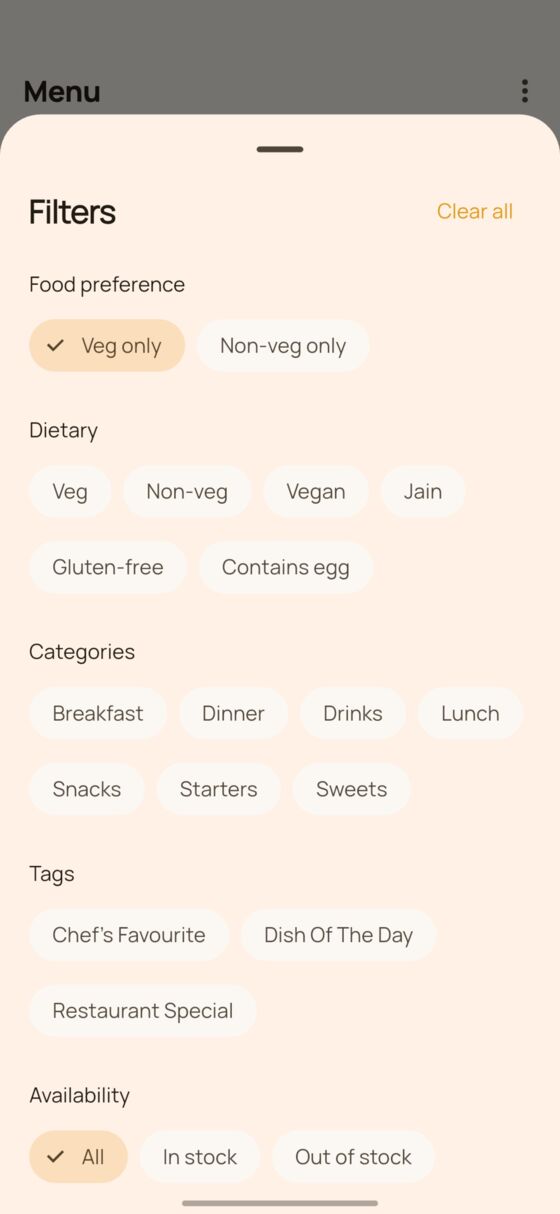
Menu filters
-
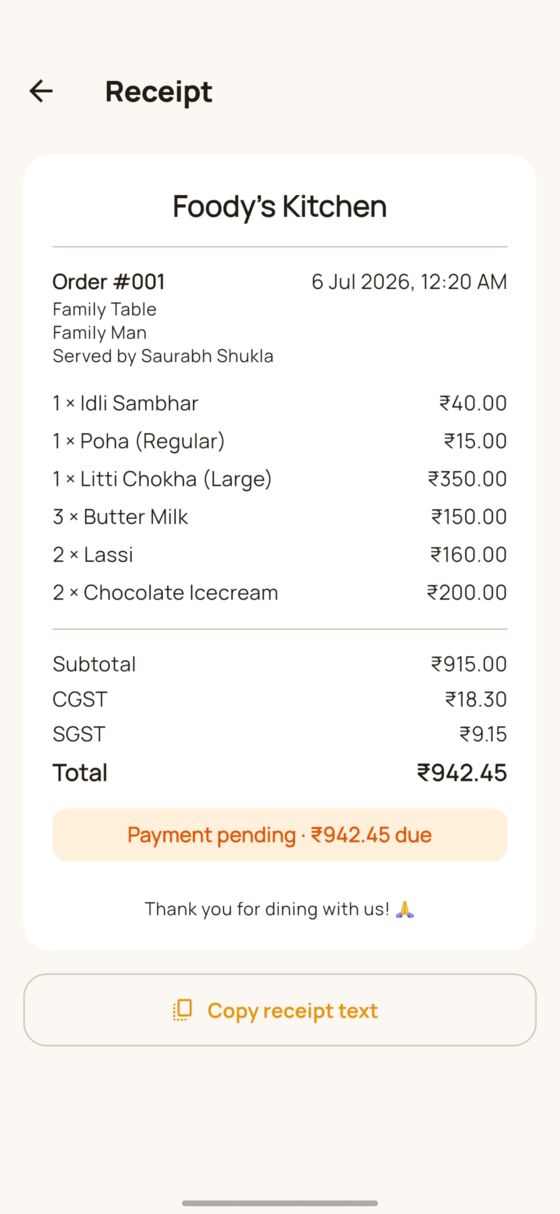
Receipt
-
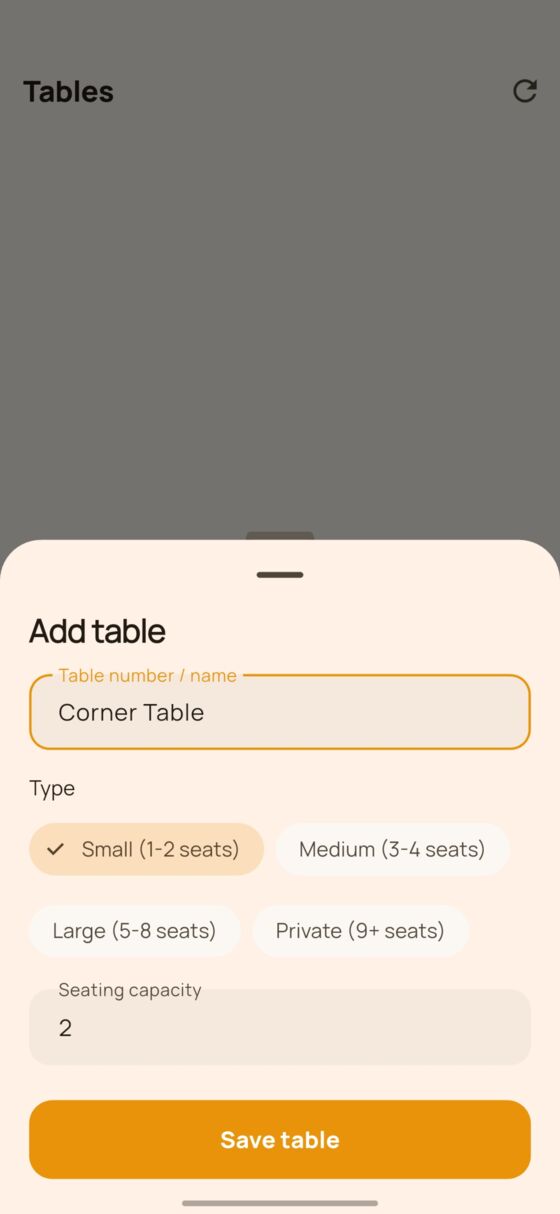
Add a table
-
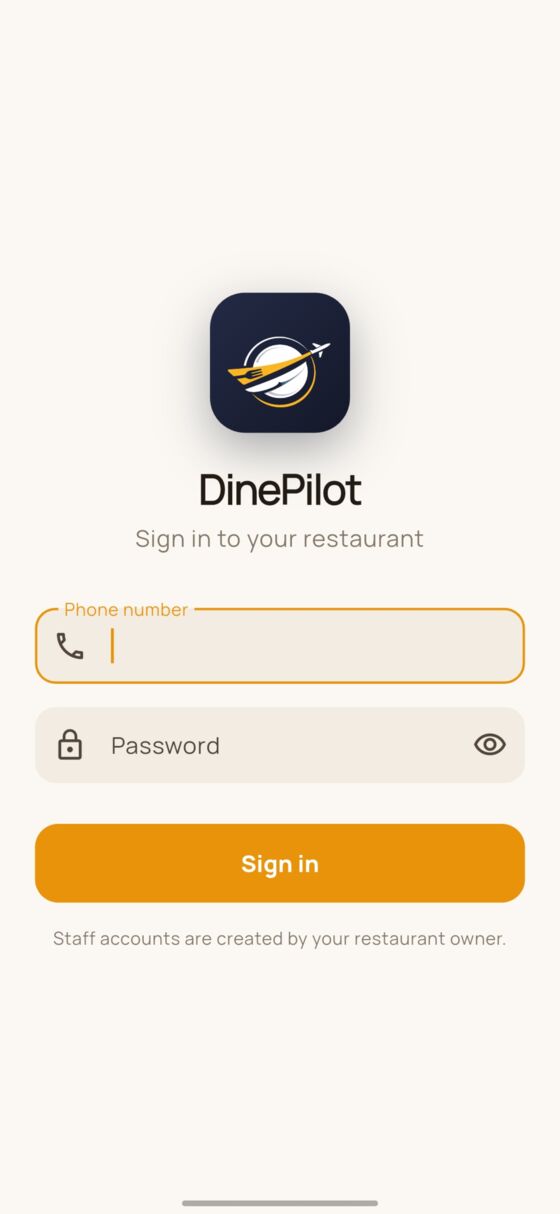
Staff sign in


Scroll to see more →
Run your next service on autopilot
Set up your restaurant, print your QR codes and take your first order today. Starter is free.
No card required · Nothing to install for your guests
